
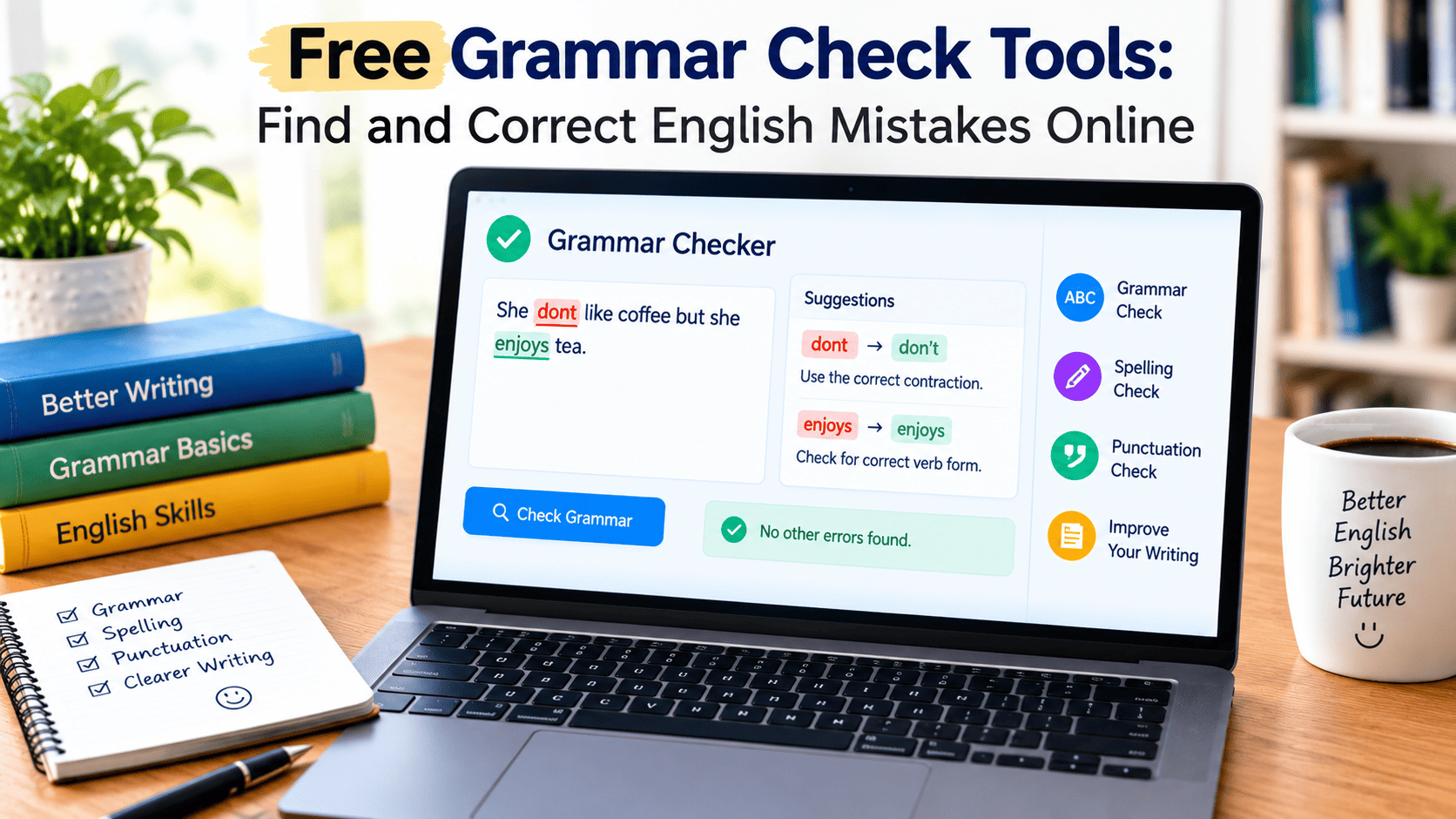
Free grammar check tools help users identify and correct common English writing mistakes without necessarily paying for a subscription. These tools can check grammar, spelling, punctuation, sentence structure, and, in some cases, readability. Students, bloggers, professionals, and English learners can use them to review assignments, articles, emails, and other documents. However, free features and usage limits vary between platforms, and automated suggestions should always be reviewed to ensure that the corrected text preserves the intended meaning.
What Are Free Grammar Check Tools?
Free grammar check tools are online applications or software features that help writers identify possible errors in written content. They analyze text and highlight problems such as incorrect verb forms, spelling mistakes, missing punctuation, and confusing sentence construction. Many tools provide suggested corrections that users can accept, reject, or modify according to their needs.
These tools are especially helpful for people who write regularly but do not have access to a professional editor. A student can review an assignment before submitting it, a blogger can polish an article before publication, and an office worker can improve the clarity of an email. By identifying common mistakes, free checking tools make basic proofreading more accessible.
The term free grammar checker does not always mean that every feature is available without payment. Some services provide unlimited basic checks, while others restrict the number of words, advanced suggestions, or available functions. Understanding these differences helps users choose a tool that matches their writing requirements.
Why Do People Use a Free Grammar Checker?
One major reason people use free grammar checkers is convenience. Instead of examining every sentence manually, writers can submit their text to an online editor and review the issues identified by the software. This can make proofreading quicker, particularly when working with lengthy documents or several short pieces of content.
Another important benefit is accessibility. Many browser-based tools work without requiring users to install additional software. Depending on the platform, a person may be able to check a paragraph, email, assignment, or blog introduction directly from a computer or mobile device.
Free grammar checking can also support language learning. English learners may struggle with articles, prepositions, verb tenses, and subject-verb agreement. When a tool explains why a sentence may be incorrect, the user can learn from the correction and apply the same principle in future writing.
Best Free Grammar Checker Options to Consider
Several established platforms provide grammar assistance through free features or plans. Their capabilities differ, so the most suitable choice depends on how you write and what kind of corrections you need.
Grammarly
Grammarly is a widely recognized writing assistant that checks grammar, spelling, punctuation, and other aspects of written communication. Its available features depend on the product and subscription plan. The free option can be useful for writers who need basic proofreading and want suggestions presented in an accessible interface.
Students, bloggers, and professionals may find it helpful when reviewing everyday writing. However, users should examine suggestions before accepting them, especially when a sentence contains specialized terminology or a particular tone that must be preserved.
Microsoft Editor
Microsoft Editor provides spelling and grammar assistance through supported Microsoft products and browser-based options. It can be convenient for people who already use Microsoft Word or other compatible writing environments.
Its free and premium capabilities may differ depending on the product, account, and platform. Users should check which features are currently included before relying on it for a particular editing task.
Google Docs
Google Docs includes spelling and grammar suggestions within its document editor. Users can review highlighted issues while preparing assignments, reports, articles, and collaborative documents.
One advantage is that checking takes place within an existing writing workflow. Instead of copying the entire document into a separate website, users can review available suggestions while editing their content.
QuillBot
QuillBot offers grammar-checking and other writing-assistance features. It may be useful for people who want to review sentence correctness and refine their writing in one environment.
Some features or usage limits may depend on the plan. Writers should also distinguish grammar correction from paraphrasing because rewriting a sentence can change its emphasis or meaning even when the result appears grammatically correct.
LanguageTool
LanguageTool provides writing assistance for grammar, spelling, and style, with support for multiple languages. It can be useful for users who write in different languages or need an alternative to English-only proofreading tools.
The available features depend on the language, platform, and subscription level. Users should test it with representative text to determine whether its suggestions fit their writing style.
How to Use a Free Grammar Checker Online
Using a free online grammar checker usually requires only a few simple steps. First, select the text you want to review. It could be an email, a paragraph from an article, a school assignment, or a complete document supported by the chosen platform.
Next, open the checking tool and paste your text into the editor. Some services also provide browser extensions, document integrations, or file-upload options. The exact process varies, so follow the instructions displayed by the application.
After the analysis is complete, examine the highlighted mistakes. A tool might identify an incorrect verb, a misspelled word, a missing comma, or a sentence that could be clearer. Read the proposed correction and decide whether it matches the meaning you intended to communicate.
Finally, review the entire document again. A corrected sentence may still be unclear when read alongside the surrounding paragraphs. A final proofreading pass can help you identify repetition, missing information, awkward transitions, and other issues that automated tools may not detect.
Grammar, Spelling, and Punctuation: What Can These Tools Correct?
Grammar Errors
Grammar checking focuses on how words and phrases work together within a sentence. A tool may identify incorrect verb forms, pronoun agreement problems, article usage, or sentence fragments.
For example, the sentence “He play football every weekend” should be “He plays football every weekend.” The correction reflects subject-verb agreement in the simple present tense. Understanding the reason for the change is more useful than accepting it without learning the underlying rule.
Spelling Mistakes
Spelling checkers identify words that may be written incorrectly. Some tools also use context to recognize cases where a correctly spelled word does not fit the sentence.
For example, “I received your massage” may be inappropriate when the writer means “I received your message.” Both words are spelled correctly, but their meanings differ. Context-aware checking can sometimes identify such problems.
Punctuation Problems
Punctuation affects how readers interpret a sentence. A grammar checker may identify missing commas, incorrect apostrophes, unnecessary punctuation marks, or other potential issues.
Consider the sentence “Lets eat Grandma.” In a context where the writer is inviting someone to eat with Grandma, the intended sentence would normally be “Let’s eat, Grandma.” The apostrophe and comma help communicate the intended meaning.
Free Grammar Checker vs. Paid Grammar Checker
The main difference between free and paid grammar checking usually involves the range of available features rather than whether the software can identify any mistakes at all. Free plans may offer basic grammar, spelling, and punctuation checks, while paid plans can include additional writing suggestions, advanced style feedback, higher usage limits, or expanded integrations.
For occasional users, a free tool may be sufficient. Someone who writes a few emails each week or checks short assignments may not need advanced editing features. In contrast, a professional writer handling lengthy documents every day might benefit from features that support a more detailed editing workflow.
Before purchasing a subscription, consider your actual needs. Test the free version, identify any limitations that affect your work, and compare the available plans. A paid product is worthwhile only when its additional features provide practical value for your particular writing tasks.
Common Limitations of Free Grammar Checking Tools
Although free tools can improve proofreading, they are not perfect. Automated systems may miss errors, misunderstand the context, or recommend a correction that changes the writer’s intended meaning. A sentence can also be grammatically correct but factually inaccurate or logically confusing.
Another limitation is the availability of advanced features. Some platforms restrict long documents, detailed style suggestions, or specialized writing feedback. Users may encounter word limits or requests to create an account before accessing particular functions.
Privacy deserves attention as well. Before pasting unpublished work, confidential business information, or personal details into an online editor, review the service’s data-handling practices. Avoid submitting sensitive material unless you understand and are comfortable with the applicable privacy arrangements.
Finally, excessive reliance on automatic corrections can prevent users from learning the rules behind their mistakes. Treating each suggestion as an opportunity to understand grammar can make the checking process more educational and effective.
How to Choose the Right Free Grammar Checker
The best tool for one person may not be the best choice for another. Begin by considering your main purpose. If you need to correct short emails, basic grammar and spelling features may be enough. If you regularly write articles, you may prefer a tool that also provides readability suggestions and helps identify awkward sentences.
Language support is another important consideration. Check whether the tool accommodates your preferred form of English, including British or American spelling. This can help prevent valid regional differences from being treated as mistakes.
Ease of use also matters. A straightforward interface, understandable explanations, and convenient editing options can save time. Compare these qualities with any limitations on word count, available features, or document compatibility.
It is also sensible to test several tools using a short, non-sensitive sample. Compare their suggestions and observe whether they preserve your intended meaning. Rather than choosing an application based only on its popularity, select one that produces useful corrections for the kind of writing you actually do.
Tips for Getting Better Results from Free Grammar Checkers
Start with a reasonably complete draft rather than checking every sentence before you have finished expressing your ideas. Reviewing a complete passage gives the tool more context and allows you to evaluate corrections in relation to the overall message.
Pay attention to repeated mistakes. If the software frequently highlights verb tense or article usage, take time to study the relevant rules. This can gradually reduce the number of corrections you need to make in future documents.
Avoid accepting every suggested rewrite automatically. Some recommendations may make your writing sound overly formal, remove a meaningful detail, or change your intended tone. Preserve expressions that are appropriate for your audience and purpose.
Finally, combine automated checking with careful proofreading. Read the final version from beginning to end, check names and figures, verify factual claims separately, and confirm that every paragraph communicates its main point clearly.
Final Thoughts
Free grammar check tools provide a convenient way to improve written English without immediately paying for a premium editing service. They can help identify common grammar, spelling, punctuation, and sentence structure problems in emails, assignments, articles, and professional documents.
However, no tool should replace careful reading and independent judgment. The most effective approach is to use automated suggestions as a starting point, understand the corrections, and review the final text for meaning and accuracy. By choosing a suitable tool and developing consistent proofreading habits, writers can improve both the quality of their documents and their confidence in English communication.
Frequently Asked Questions
1. What is the best free grammar checker?
The best option depends on your needs. Grammarly, Microsoft Editor, Google Docs, QuillBot, and LanguageTool offer different writing-assistance features. Compare their free capabilities, language support, usage limits, and ease of use before choosing.
2. Can I check grammar online without paying?
Yes. Several services provide free grammar-checking features. Some may impose word limits, require an account, or reserve advanced corrections for paid plans.
3. Are free grammar checkers accurate?
They can identify many common mistakes, but they may miss subtle errors or misunderstand context. Reviewing suggested corrections manually helps ensure that your writing remains clear and accurate.
4. Can a free grammar checker check an entire essay?
Some tools support long documents, while others limit the amount of text that can be checked at once. Review the current limits of your chosen service and divide the essay into smaller sections if necessary.
5. Do free grammar checkers improve English skills?
They can help users learn by explaining errors and showing alternative sentence structures. Studying these corrections and practicing the relevant rules can improve grammar knowledge over time.
6. Is an online grammar checker safe to use?
Safety depends on the provider’s privacy and data-handling practices. Review its policies before submitting confidential or sensitive information, and avoid entering material you do not have permission to share.