
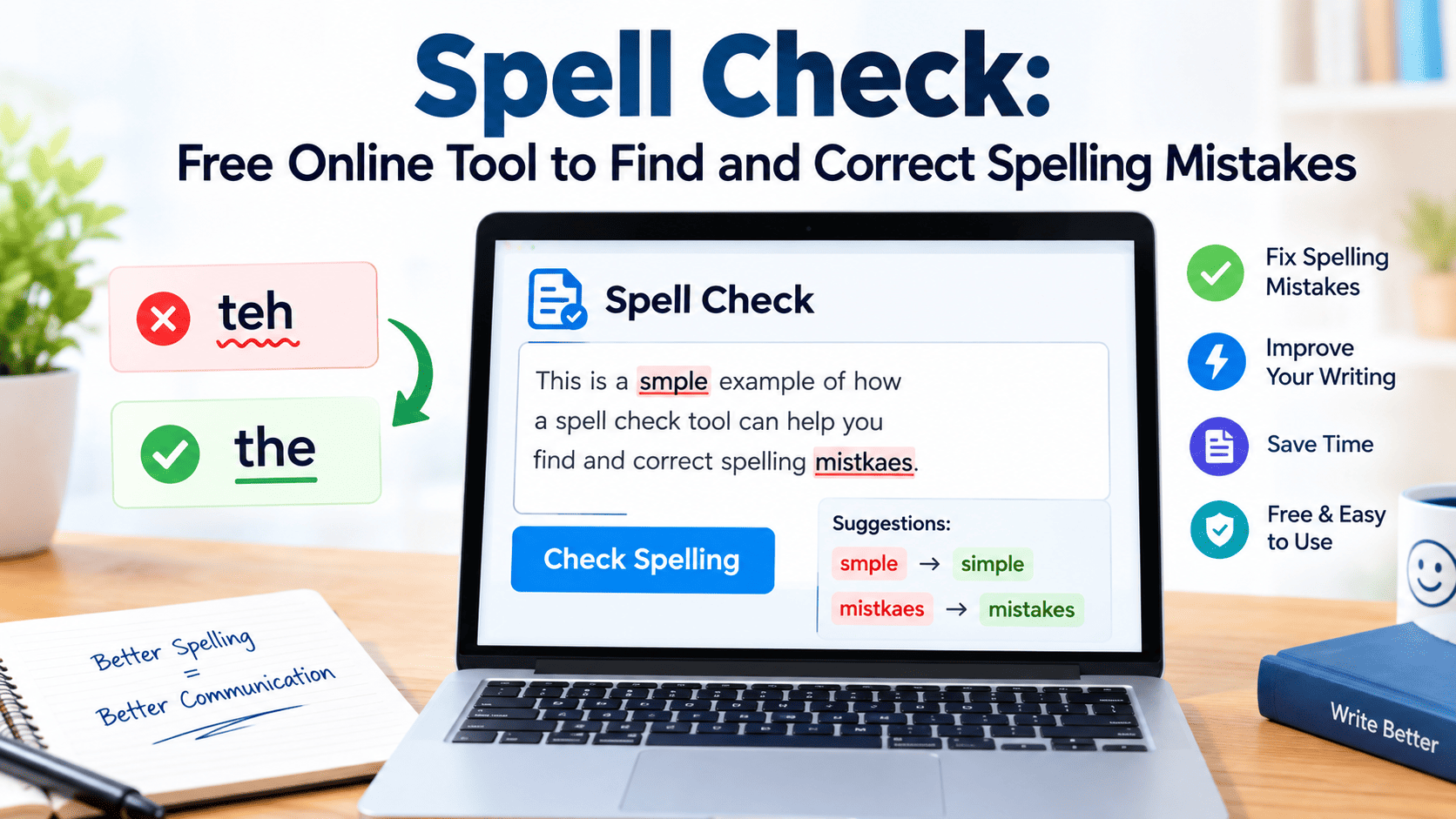
Spell check is a writing tool that identifies misspelled words and helps users correct typing errors in emails, essays, articles, documents, and other text. Depending on the tool, it may also suggest grammar improvements, punctuation corrections, and alternative word choices. You can use a free online checker to review your writing before publishing or sending it, helping make your message clearer, more accurate, and easier to understand.
What Is a Spell Checker and How Does It Work?
A spell checker is a digital writing assistant that compares words in your text with a language dictionary and other spelling patterns. When it detects a word that may be incorrect, it highlights the word and offers possible corrections. Some tools also consider surrounding words to make better suggestions.
For example, if you type “recieve” instead of “receive,” a checker may recommend the correct spelling. More advanced tools use language-processing technology to identify errors that depend on context. However, suggestions are not always accurate, so reviewing each correction remains important.
Why Correct Spelling Matters in Everyday Writing
Correct spelling makes written communication easier to understand. Whether you are writing a professional email, preparing a school assignment, publishing a blog post, or completing a business report, spelling errors can distract readers from your main message.
Accurate writing can also help establish credibility. A document filled with obvious mistakes may appear rushed, even when the information is valuable. Checking your text before sharing it helps you present your ideas more clearly and reduces avoidable misunderstandings.
How to Check Spelling Online for Free
Using an online checker is usually straightforward. You can paste your text into a writing tool, select the appropriate language if necessary, and review the words it identifies as potential errors. Some services process text automatically, while others require you to click a checking button.
Start by reviewing obvious spelling mistakes, then examine suggested replacements individually. Confirm that the corrected word fits the meaning of your sentence. Before submitting confidential documents to an unfamiliar website, review its privacy policy and avoid sharing sensitive personal, financial, or business information.
Common Spelling Mistakes and Their Correct Forms
Many spelling errors occur because English words contain silent letters, unusual letter combinations, or similar sounds. Typing quickly can also cause missing letters, repeated characters, and misplaced vowels.
Here are several common examples:
| Incorrect spelling | Correct spelling |
| Recieve | Receive |
| Definately | Definitely |
| Seperate | Separate |
| Accomodate | Accommodate |
| Neccessary | Necessary |
| Writting | Writing |
| Enviroment | Environment |
| Occured | Occurred |
These examples illustrate why proofreading is useful. Learning the correct forms of frequently misspelled words can also help you avoid repeating the same mistakes in future writing.
Understanding Words That Sound Alike
Some English words sound identical or similar but have different meanings and spellings. These words can be particularly difficult because a basic dictionary-based checker may accept every word individually without recognizing that the sentence uses the wrong one.
Consider “their,” “there,” and “they’re.” Their indicates possession, there often refers to a place, and they’re is a contraction of “they are.” Similarly, “your” expresses possession, while “you’re” means “you are.” Understanding these differences requires attention to sentence meaning, not simply the spelling of individual words.
Spell Check vs. Grammar Check: What Is the Difference?
Spelling and grammar tools solve related but different problems. A spelling checker primarily identifies words that appear incorrectly written. A grammar checker examines how words and sentences work together, including subject-verb agreement, sentence structure, punctuation, and other language conventions.
For example, “She go to school every day” contains correctly spelled words but has a grammatical error. A basic spelling tool might not flag it, while a grammar checker may suggest “She goes to school every day.” Using both types of review can help improve the overall quality of your writing.
How to Improve Your Writing With Automated Suggestions
Automated suggestions are most useful when treated as recommendations rather than unquestionable corrections. When a tool highlights a word, examine the suggested replacement and consider the intended meaning of the sentence.
You can also use repeated corrections as a learning opportunity. If you frequently misspell the same words, record their correct forms and practise using them in your own sentences. Over time, this approach can improve your vocabulary, reduce typing errors, and make proofreading faster.
Avoid accepting every suggested change automatically. Some tools may misunderstand technical terms, names, abbreviations, regional expressions, or specialized vocabulary. Human judgment remains essential when accuracy and meaning matter.
Checking Spelling in Emails and Professional Documents
Professional communication benefits from careful proofreading because even small mistakes can create confusion. Before sending an email, review the recipient’s name, subject line, dates, figures, attachments, and any instructions included in the message.
For reports, proposals, and business documents, review headings, tables, captions, and footnotes as well as the main paragraphs. A checker may not identify every error in these areas, particularly when text includes unusual formatting. Reading the finished document once more can help catch mistakes that automated tools overlook.
Using Spelling Tools for School and College Assignments
Students can use writing tools to identify typos in essays, homework, research assignments, presentations, and study notes. Correcting spelling errors makes academic work easier to read and helps students communicate their understanding more effectively.
However, students should not rely entirely on automated corrections. Reviewing suggestions can reinforce vocabulary and spelling knowledge, while proofreading helps identify awkward sentences or missing words. Students should also follow their institution’s rules regarding digital writing assistants and artificial intelligence when completing assessed work.
How Bloggers and Website Owners Can Avoid Spelling Errors
For bloggers and website owners, accurate writing supports readability and helps visitors understand information without unnecessary distractions. Before publishing a page, review the headline, introduction, subheadings, main text, image captions, calls to action, and frequently asked questions.
Website owners should also check page titles, meta descriptions, image alternative text, and other visible or search-related content. These elements can contain mistakes just like ordinary paragraphs. A final editorial review is especially valuable for pages containing product details, instructions, statistics, or claims that readers may rely on.
Correct spelling alone does not guarantee higher search rankings. Useful information, originality, relevance, factual accuracy, and a good page experience also matter. The goal should be to create content that genuinely helps visitors rather than simply adding keywords or producing large volumes of similar pages.
Can a Spelling Tool Detect Every Error?
No spelling tool can guarantee that every mistake will be detected. Many tools are effective at identifying misspelled words, but errors involving context, meaning, grammar, or missing words may go unnoticed.
For instance, “I want too go home” contains a correctly spelled word that is inappropriate in context. The intended sentence is “I want to go home.” A context-aware writing assistant may detect this issue, but its performance depends on the technology and language involved.
Names, regional spellings, industry terminology, and newly introduced words may also be flagged incorrectly. For important documents, combine automated checking with careful human proofreading and reliable references.
Choosing the Right Online Writing Tool
The best writing tool depends on your needs, the language you use, and the type of document you are preparing. A simple checker may be sufficient for short messages, while longer articles or professional documents may benefit from grammar suggestions, contextual corrections, and vocabulary recommendations.
Before choosing a service, consider these factors:
- Language support: Confirm that it supports the language and regional spelling conventions you need.
- Accuracy: Test its suggestions with examples relevant to your writing.
- Ease of use: Look for a straightforward interface that makes errors easy to review.
- Privacy: Understand how submitted text is handled, stored, or processed.
- Cost: Check whether essential features are free or require a subscription.
- Compatibility: Determine whether it works with your browser, word processor, or device.
A tool should make writing easier without taking control away from the writer.
Best Practices for Accurate and Clear Writing
Good proofreading involves more than running a digital check. Begin by completing your draft, then review it in stages. First, focus on spelling and typing mistakes. Next, examine grammar, punctuation, sentence structure, and word choice. Finally, check whether the writing communicates the intended message clearly.
Reading slowly can help you notice mistakes that are easy to overlook when scanning familiar text. Reading aloud is another useful technique because it may reveal missing words, repeated phrases, or awkward sentences. For longer documents, taking a short break before proofreading can make it easier to approach the text with fresh attention.
Keep a personal list of frequently misspelled words and verify unfamiliar terms using a trustworthy dictionary. For factual documents, independently confirm names, dates, statistics, quotations, and technical details. Language tools can support editing, but they cannot replace fact-checking.
Does Spell Check Help With Google SEO?
Accurate spelling can improve readability and help website visitors understand a page. It is therefore a sensible part of preparing content for publication. However, correcting spelling mistakes does not automatically make an article rank at the top of Google Search.
Google’s published guidance on generative AI emphasizes accuracy, quality, relevance, and original value for readers. Website owners should review AI-assisted content carefully rather than publishing it without checking its claims. The same attention should extend to titles, meta descriptions, structured data, and image alternative text.
A strong search-focused article answers the reader’s actual question, provides dependable information, and avoids unnecessary repetition. Instead of repeating the same keyword throughout a page, explain the subject naturally and include useful examples. Original insights, practical advice, and careful editorial review make content more valuable to readers.
Final Thoughts
Accurate writing helps people communicate clearly across schoolwork, professional documents, emails, blogs, and websites. A reliable online checker can identify many common spelling mistakes, suggest corrections, and reduce the time spent reviewing text. Its recommendations should still be checked carefully because automated systems can misunderstand context or overlook errors.
The most effective approach combines technology with human judgment. Review suggested changes, learn from recurring mistakes, confirm important facts, and proofread the finished document before sharing it. These simple habits can help you produce writing that is clearer, more consistent, and more professional.
Frequently Asked Questions
1. What is the best free online spelling checker?
The best option depends on your language, document type, privacy requirements, and desired features. Compare available tools for spelling accuracy, ease of use, grammar support, and pricing before choosing one.
2. Can I check spelling without downloading an app?
Yes. Many browser-based writing tools allow you to paste text into a webpage and review suggested corrections without installing additional software. Always check the service’s privacy practices before submitting sensitive information.
3. Can spelling tools correct grammar mistakes?
Some tools provide both spelling and grammar suggestions, but their capabilities vary. A basic checker may identify misspelled words without detecting grammatical errors or incorrect word choices.
4. Does correct spelling guarantee better Google rankings?
No. Correct spelling supports readability, but it does not guarantee a particular ranking. Search performance depends on multiple factors, including relevance, content quality, usefulness, and how well a page satisfies the reader’s needs.