

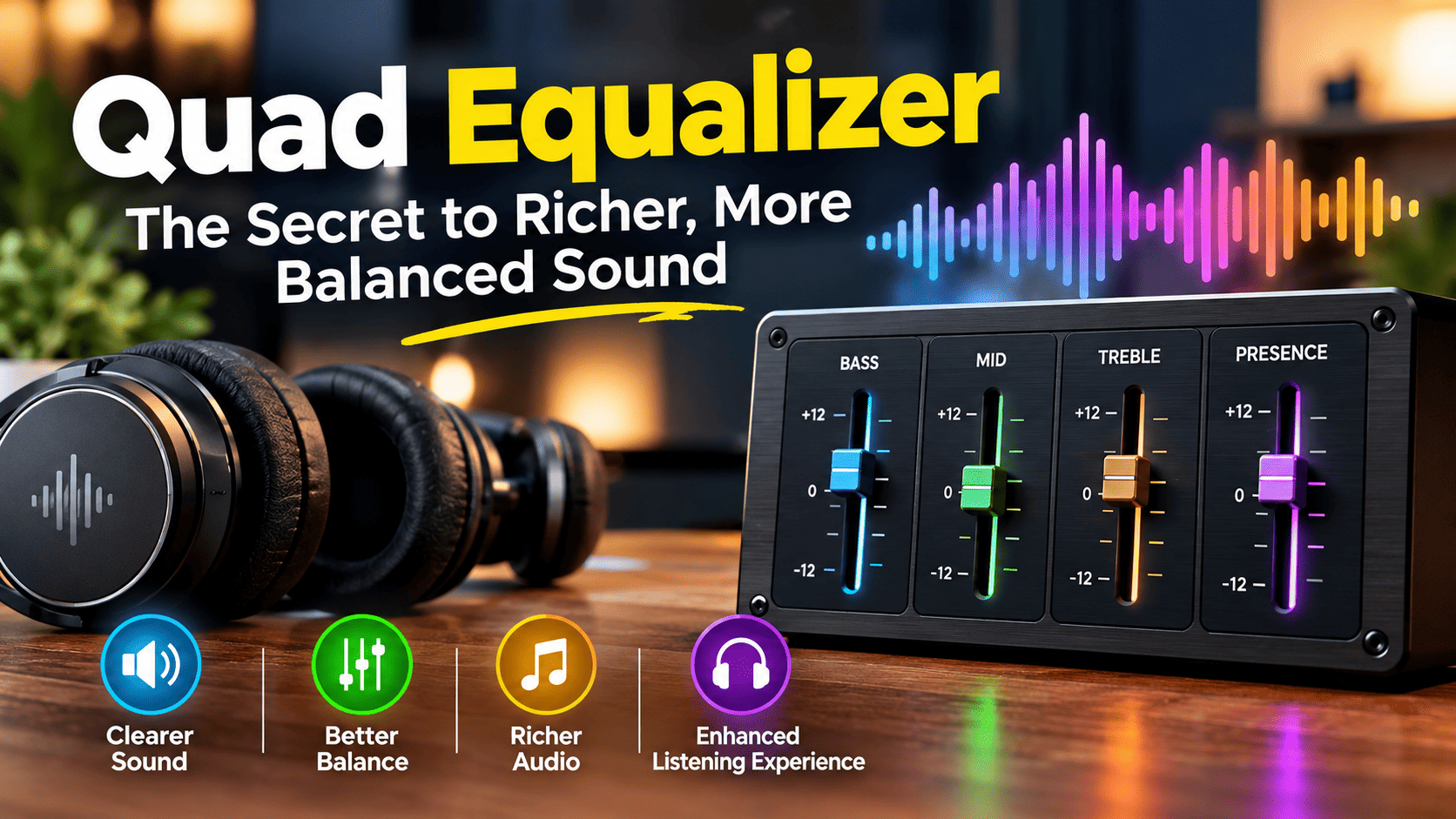
A quad equalizer is an audio adjustment tool that allows users to shape sound across four frequency bands. By changing the levels of low, mid-low, mid-high, and high frequencies, listeners can customize bass, vocals, instruments, and treble to suit their preferences. Depending on the device or software, a quad equalizer may use different frequency ranges and controls, making it useful for music listening, home audio, recording, and other sound applications.
Understanding the Technology Behind a Quad Equalizer
Sound quality is not determined by volume alone. Two audio tracks played at the same volume can sound completely different because of their frequency balance, recording quality, speakers, and listening environment. This is where equalization becomes useful. A quad equalizer gives users control over four frequency bands, allowing them to emphasize or reduce specific parts of the audio spectrum without simply turning the overall volume up or down.
The term “quad” refers to four, while “equalizer” describes a tool used to adjust the balance of audio frequencies. Unlike a basic bass-and-treble control, a four-band equalizer provides more flexibility for shaping the sound. It can help listeners bring out vocals, soften harsh instruments, improve perceived bass definition, or create a more natural overall presentation.
However, not every quad equalizer works identically. Some devices use four fixed frequency controls, while others allow users to adjust the center frequency, bandwidth, or gain of each band. Understanding the specific design is important because the available settings determine how precisely you can modify the sound.
How Does a Quad Equalizer Work?
A quad equalizer works by adjusting the relative level of selected frequency ranges within an audio signal. These adjustments are generally measured in decibels (dB). Positive gain increases a frequency range, while negative gain reduces it. A setting of 0 dB usually means that the corresponding band is not being boosted or cut.
For example, if a song sounds thin, a small adjustment to the lower frequencies may give it more body. If the vocals seem buried beneath the instruments, carefully adjusting the middle frequencies may improve their presence. If cymbals and other high-frequency details sound too sharp, reducing the treble range can make the presentation more comfortable.
The four controls interact with one another, so the best result usually comes from making small adjustments rather than maximizing every band. Boosting all four frequency ranges does not necessarily produce better sound. It may simply increase the signal level, introduce distortion, or create an exaggerated tonal balance.
Exploring the Four Frequency Bands
The exact frequency ranges depend on the equalizer’s design, but four-band systems commonly divide sound into broad sections that influence bass, body, presence, and treble.
1. Low Frequencies: Building the Bass Foundation
Low frequencies provide the weight and depth heard in bass guitars, kick drums, electronic bass, and the lowest notes of many musical instruments. Increasing this band can make music sound fuller and more powerful, especially when the speakers or headphones reproduce bass effectively.
Too much low-frequency boost, however, can make music sound muddy. It may also overwhelm vocals and other instruments, particularly in small rooms or with speakers that already emphasize bass. If the audio sounds heavy or unclear, try reducing the low band slightly instead of increasing the other controls to compensate.
2. Low-Mid Frequencies: Adding Warmth and Body
The low-mid region contributes to the fullness of voices, guitars, piano, and many other instruments. It helps determine whether a recording sounds warm and substantial or thin and hollow.
Excessive energy in this area can make audio sound boomy or congested, while insufficient energy may leave voices and instruments lacking body. A quad equalizer can help balance this range so that bass remains strong without covering up the musical details that make a recording enjoyable.
3. High-Mid Frequencies: Improving Clarity and Presence
High-mid frequencies are important for vocal intelligibility, instrument definition, and the sense that a sound is close or present. A careful adjustment can make dialogue easier to understand and help lead vocals stand out in a dense musical arrangement.
Boosting this area too aggressively can produce a sharp, nasal, or fatiguing sound. The right balance depends on the recording, the playback equipment, and personal preference. If voices sound harsh, a modest reduction may be more effective than changing the entire equalizer profile.
4. High Frequencies: Bringing Out Detail and Air
High frequencies contribute to the brightness of cymbals, the fine details of acoustic instruments, and the crispness of certain vocal sounds. Increasing this region may create a more open presentation when the original recording sounds dull.
Nevertheless, excessive treble can emphasize hiss, sibilance, and unpleasant sharpness. Listeners using bright headphones or speakers may prefer a gentler high-frequency response. A smooth treble balance is often more enjoyable over long listening sessions than an aggressively bright sound.
Best Quad Equalizer Settings for Different Listening Needs
There is no universal setting that works best for every song, speaker, headphone, or room. The following recommendations are starting points rather than fixed presets. Because different devices use different frequency ranges, adjust the controls according to their actual labels and the sound you hear.
| Listening goal | Suggested adjustment | Expected result |
| Balanced music | Keep all four bands near neutral | A natural starting point |
| Stronger bass | Slightly increase the low band | More weight and depth |
| Clearer vocals | Make a small high-mid adjustment | Improved vocal presence |
| Softer, warmer sound | Reduce excessive high-mid or treble energy | Less harshness |
| Brighter music | Slightly increase the high band | More perceived detail |
| Less muddy audio | Reduce excessive low or low-mid energy | Better separation |
Begin with all controls at their neutral positions. Play a familiar song and adjust one band at a time. Keep each change small, then compare the result with the original sound. This approach makes it easier to identify which adjustment actually improves the listening experience.
Quad Equalizer Settings for Bass-Heavy Music
Electronic dance music, hip-hop, and other bass-focused genres often benefit from a controlled low-frequency foundation. A small bass increase may make kick drums and bass lines feel more substantial, but the goal should be definition rather than maximum impact.
If the bass overwhelms the vocals, reduce the low band slightly and listen again. You may also need to adjust the low-mid range if the music sounds thick or muddy. Keep in mind that equalization cannot create deep bass that your headphones or speakers are physically unable to reproduce.
A balanced approach preserves the energy of bass-heavy music while maintaining the separation between percussion, vocals, and melodic elements.
Using a Quad Equalizer for Vocals and Podcasts
Speech requires intelligibility more than exaggerated bass or treble. For podcasts, audiobooks, online meetings, and spoken-word recordings, start with a neutral profile and listen for clarity. If the voice sounds muffled, a modest adjustment to the relevant midrange or high-mid band may help.
If a speaker’s voice sounds boomy, reducing excessive low-mid energy can improve definition. Conversely, if the voice sounds thin, a slight increase in the lower frequencies may add body. Avoid excessive high-frequency boosts because they can make certain voices sound sharp and emphasize distracting mouth noises.
The most effective speech settings depend on the speaker’s voice, microphone, recording conditions, and playback device. A quad equalizer can improve tonal balance, but it cannot completely correct poor recording quality or remove all background noise.
Quad Equalizer vs. Graphic and Parametric Equalizers
Understanding the differences between equalizer types can help you decide whether a four-band system offers enough control for your needs.
A quad equalizer provides four adjustable frequency bands, which makes it relatively simple to operate. It can be ideal for everyday listening and straightforward tone shaping. Its main limitation is that four broad controls may not be precise enough to correct narrow frequency problems.
A graphic equalizer usually provides multiple fixed frequency bands, often with a separate slider for each one. More bands can offer greater tonal flexibility, although the number of controls varies by product.
A parametric equalizer generally provides more detailed control over the frequency being adjusted, the amount of gain, and the bandwidth or Q factor. This makes it particularly useful for detailed audio work, including correcting specific resonances and refining recordings.
Neither design automatically sounds better than the others. The result depends on implementation, settings, signal quality, and the listener’s requirements. For straightforward adjustments, a quad equalizer may provide all the control necessary.
Common Quad Equalizer Mistakes to Avoid
One of the most common mistakes is boosting every frequency band at once. Although this may initially sound louder or more exciting, it can reduce tonal balance and leave less headroom for sudden peaks in the audio signal. A better approach is to identify the problem first and make targeted adjustments.
Another mistake is making changes without listening to the original recording. Without a neutral reference, it becomes difficult to determine whether the adjustment genuinely improves the sound or merely makes it different. Switching between the adjusted and original signal at a similar perceived volume can help you make a more reliable comparison.
Listeners should also avoid copying settings from another person’s headphones or speakers without testing them. Different equipment has different frequency responses, and a preset that sounds excellent on one device may sound unbalanced on another.
Finally, do not assume that equalization can solve every audio problem. Distortion, weak source recordings, poor speaker placement, room reflections, and hardware limitations may require solutions beyond frequency adjustment.
Does a Quad Equalizer Improve Sound Quality?
A quad equalizer can improve perceived sound quality when it addresses an actual tonal imbalance. For example, reducing excessive bass may reveal details that were previously masked, while a careful midrange adjustment may make dialogue easier to understand. These changes can make the listening experience more comfortable and enjoyable.
However, equalization does not automatically improve every recording. A well-balanced track played through suitable equipment may sound best with minimal processing. Excessive adjustments can introduce clipping, exaggerate unwanted frequencies, or make the audio less natural.
It is also important to distinguish between personal preference and technical accuracy. Some listeners prefer powerful bass and bright treble, while others favor a flatter, more neutral presentation. Both preferences can be valid, provided the resulting sound meets the listener’s goals without introducing unwanted distortion.
Where Can You Find a Quad Equalizer?
Quad equalizers can appear in different forms, depending on the product and audio setup. Some are built into amplifiers, receivers, car audio systems, or other hardware. Others are available through digital audio software, music applications, audio interfaces, and system-level sound tools.
Before choosing one, check the product documentation to confirm the number of bands, adjustment ranges, supported audio formats, and compatibility with your devices. A four-band control included in a particular application may operate differently from a hardware equalizer with four physical knobs.
For everyday music listening, a simple built-in equalizer may be sufficient. People working with recordings or more complex audio setups may prefer software that offers greater control and the ability to save custom profiles. The best choice depends on how much flexibility you need and how you intend to use it.
How to Choose the Right Quad Equalizer
Choosing a suitable quad equalizer begins with identifying your primary purpose. Casual listeners may prioritize ease of use and a few straightforward controls, while audio enthusiasts may want adjustable frequency points, precise gain controls, preset storage, and integration with their existing equipment.
Compatibility should be another consideration. Hardware equalizers need suitable audio connections and support for the intended signal path. Software equalizers may depend on the operating system, audio application, or playback device. Checking these details before purchasing can prevent unnecessary compatibility problems.
Build quality, noise performance, control accuracy, and available documentation can also matter. A well-designed equalizer should allow smooth, predictable adjustments without introducing noticeable unwanted noise. However, more features do not always mean better performance for every listener. Choose a system that meets your needs rather than paying for controls you are unlikely to use.
The Future of Everyday Audio Equalization
Audio equalization continues to evolve as playback devices and software become more sophisticated. Modern systems may offer saved listening profiles, automatic sound adjustments, hearing-related personalization features, and tools that adapt audio to different headphones or environments.
These features can make sound customization more accessible, but their availability depends on the specific product. A traditional four-band equalizer remains useful because it offers direct control without requiring complicated technical knowledge. Users can learn how each adjustment affects their listening experience and develop a preferred sound profile over time.
Future developments may combine simple manual controls with more automated recommendations. Even as these tools become more advanced, understanding the relationship between bass, midrange, treble, and perceived clarity will remain valuable for anyone who wants greater control over audio.
Conclusion: Finding Your Ideal Quad Equalizer Balance
A quad equalizer offers a practical way to shape audio by adjusting four frequency bands. Whether you want deeper bass, clearer vocals, a warmer presentation, or more detailed treble, small and deliberate changes can help you achieve a sound that suits your preferences.
The key is to understand what each band contributes, start from a neutral setting, and make adjustments based on careful listening. There is no single preset that works perfectly for every recording or device, so experimentation is more useful than blindly copying settings.
For everyday listeners, a quad equalizer can provide a straightforward introduction to audio customization. By using it thoughtfully and avoiding excessive boosts, you can find a more balanced and enjoyable listening experience without making the process unnecessarily complicated.
Frequently Asked Questions
1. What does a quad equalizer do?
A quad equalizer adjusts four frequency bands in an audio signal. It allows users to change the balance of bass, midrange, and treble-related frequencies to suit their equipment and listening preferences.
2. Is a quad equalizer good for music?
Yes. It can help refine bass, improve vocal presence, soften harsh treble, and create a more balanced sound. Results depend on the equalizer’s design, the audio source, and the playback equipment.
3. What are the best quad equalizer settings?
The best settings depend on your music, headphones, speakers, and personal preferences. Start with neutral settings and make small adjustments to individual bands rather than applying large boosts across the board.
4. Is a quad equalizer better than a standard equalizer?
Not necessarily. A quad equalizer offers four-band control, while other equalizers may provide more or fewer bands and different adjustment options. The right choice depends on how much control you need.
5. Can a quad equalizer make headphones sound better?
It can improve the tonal balance of compatible headphones by reducing unwanted emphasis or adjusting frequencies to your taste. However, it cannot eliminate every hardware limitation or repair a poor-quality recording.