

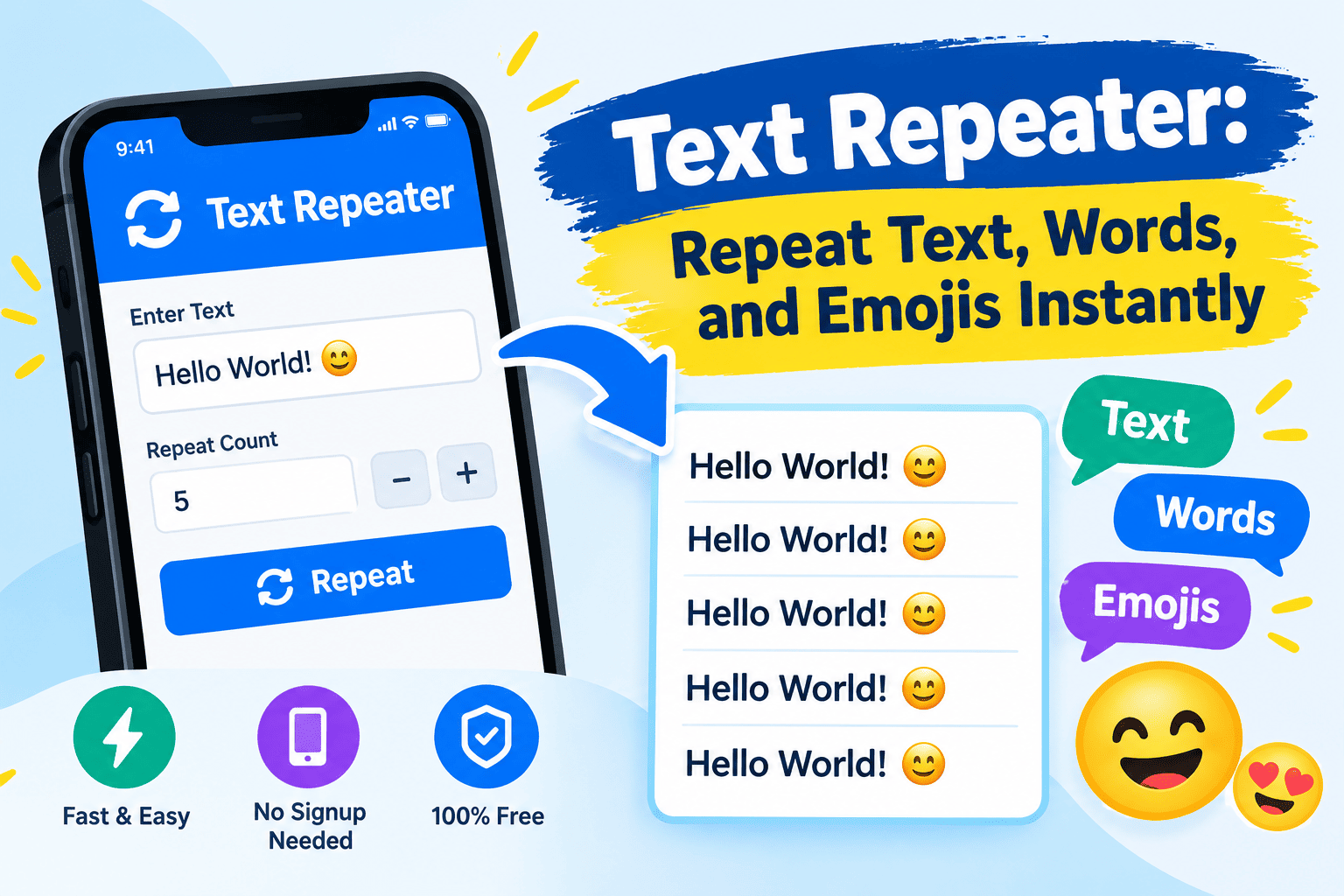
A text repeater is a simple tool that allows you to repeat text, words, sentences, symbols, and emojis multiple times within seconds. Instead of copying and pasting the same content repeatedly, you can enter your text, choose how many times you want it repeated, and generate the result instantly.
Whether you want to repeat a message for WhatsApp, create emoji patterns for social media, prepare sample text, or generate content for testing, a text repeater can make the process faster and easier.
In this guide, you will learn what a text repeater is, how it works, its most useful features, and how to use it effectively for different purposes.
What Is a Text Repeater?
A text repeater is a tool designed to duplicate a word, sentence, phrase, emoji, or complete block of text a specified number of times. It eliminates the need to repeat the same action manually and makes text generation more convenient.
For example, if you enter the word “Hello” and choose five repetitions, the generated result might look like this:
Hello Hello Hello Hello Hello
You can also repeat entire sentences, create separate lines, or add symbols between repeated words. Depending on the tool, you may be able to customize the spacing, add numbering, and copy the final result with a single click.
Most online text repeater tools work directly in a web browser, making them accessible from computers, tablets, and smartphones.
How Does a Text Repeater Work?
A text repeater works by taking your original input and duplicating it according to your selected repetition count. The process is straightforward and usually requires only a few steps.
Step 1: Enter Your Text
Start by typing or pasting the word, sentence, message, or emoji you want to repeat. You can use a short phrase or a longer block of text, depending on your needs.
Step 2: Choose the Number of Repetitions
Select how many times the text should appear. For example, you might choose 10, 50, 100, or another number supported by the tool.
Step 3: Select Your Preferred Format
Choose whether you want the repeated text on one line, on separate lines, or separated by commas, spaces, or another character. Some tools also offer numbered lists.
Step 4: Generate the Repeated Text
Click the generate or repeat button to create your output. The tool duplicates your input according to the settings you selected.
Step 5: Copy Your Result
Review the generated text and copy it into your preferred application, document, or message. If the tool supports downloading, you may also be able to save the output as a text file.
These steps make a text repeater useful for beginners and experienced users alike.
Key Features of a Text Repeater Tool
A good text repeater should provide simple controls and flexible formatting options. The available features depend on the specific tool, but several functions are particularly useful.
1. Repeat Text Multiple Times
The primary feature is the ability to duplicate text automatically. Rather than manually pasting a phrase dozens of times, you can generate the required number of copies in seconds.
2. Repeat Words and Sentences
A text repeater can duplicate individual words or complete sentences. This is useful for preparing writing exercises, creating examples, and generating repeated sample content.
3. Repeat Emojis and Symbols
Many text repeater tools support emojis and special characters. You can repeat hearts, stars, smiley faces, arrows, and other compatible symbols to create decorative patterns.
For example:
❤️ ❤️ ❤️ ❤️ ❤️
⭐ ⭐ ⭐ ⭐ ⭐
4. Customize Text Separators
Separators control how repeated text is arranged. Depending on your requirements, you can use spaces, commas, hyphens, or line breaks.
| Format | Example |
| Space | Hello Hello Hello |
| Comma | Hello, Hello, Hello |
| Hyphen | Hello – Hello – Hello |
| Separate lines | Hello on individual lines |
| No separator | HelloHelloHello |
Selecting the right separator helps you produce text that is easier to read and ready for its intended purpose.
5. Copy Repeated Text Easily
Many text repeater tools include a copy button that lets you transfer the generated output into another application. This can save time when working with long strings or large quantities of repeated text.
6. Support Custom Repetition Counts
Some tools offer preset repetition options, while others let you enter a specific number. Custom counts are especially useful when preparing test data or generating text for a particular task.
Best Uses of a Text Repeater
A text repeater can help with many everyday activities. Its usefulness depends on what you need to create and how the repeated text will be used.
Text Repeater for WhatsApp
A text repeater can help you prepare repeated greetings, short messages, or emoji sequences for WhatsApp. For example, you could repeat “Happy Birthday!” several times to create a playful greeting for a friend.
You can arrange the message on separate lines or keep it in a single paragraph.
However, repeated messages should be used responsibly. Avoid flooding conversations with unwanted content or sending repetitive messages that disturb other users.
Text Repeater for Instagram and Social Media
Social media users may use text repeaters to create decorative captions, repeat emojis, or prepare creative text patterns.
Repeated symbols can help you organize a caption or create a particular visual effect. Before publishing, check how the text appears on your device because different platforms may handle spacing and special characters differently.
Text Repeater for Copy and Paste
If you need the same phrase in multiple places, a text repeater can generate all the copies at once. This is more convenient than repeatedly selecting, copying, and pasting the same content.
It can be useful for preparing templates, labels, sample entries, and other repetitive text.
Text Repeater for Software Testing
Developers and testers can use repeated text to evaluate how applications handle long inputs. For example, generating a string containing hundreds of repeated words can help test text fields, character limits, layout behavior, and input validation.
Repeated sample text can also help identify display problems when content becomes longer than expected.
Text Repeater for Learning and Practice
Students and teachers can use repeated words and sentences to prepare writing exercises, vocabulary practice sheets, and typing activities.
For instance, repeating a vocabulary word on separate lines can help learners practice spelling and typing accuracy.
Text Repeater Examples: 10, 100, and 1,000 Times
The number of repetitions depends on your requirements. A text repeater with a customizable count allows you to generate small or large amounts of repeated text.
Repeating text 10 times: This is suitable for short messages, small examples, and basic practice exercises.
Repeating text 100 times: This may be useful for longer practice activities, sample data, and repetitive formatting tasks.
Repeating text 1,000 times: Larger repetition counts can help developers create test strings or generate substantial blocks of sample content.
Keep in mind that very large outputs can consume memory and may exceed the character limits of the application where you intend to paste them. Generating only the amount you need can help prevent performance issues.
How to Choose the Best Text Repeater
Not every text repeater offers the same features. Before choosing a tool, consider the following factors.
- Easy interface: The tool should make it simple to enter text, choose a repetition count, and generate the result.
- Flexible repetition count: Look for a custom number field if you need precise control.
- Formatting options: Check whether the tool supports spaces, line breaks, commas, and custom separators.
- Emoji compatibility: Make sure it can handle the symbols and characters you want to use.
- Copy functionality: A convenient copy button makes transferring the result easier.
- Download options: Saving output as a text file can be useful for larger projects.
- Privacy protection: Review how the tool handles the information you enter.
- Device compatibility: Choose a tool that works well on your computer or mobile device.
For occasional tasks, a basic text repeater may be enough. If you regularly generate large amounts of text, additional formatting and export options may be valuable.
Is a Text Repeater Free to Use?
Many text repeater tools offer free basic functionality. Common features include entering text, selecting a repetition count, choosing a separator, and copying the generated result.
However, some tools may impose limits on the number of repetitions or reserve advanced features for paid plans. Pricing and available functionality depend on the provider.
Before using a tool for a large project, check its limits to make sure it supports the amount of text you need.
Is Using a Text Repeater Safe?
A text repeater is generally straightforward to use, but privacy depends on how the particular tool processes your input.
Some tools may generate results directly in your browser, while others may send information to a server. You should not assume that every online tool handles your text in the same way.
For safer use:
- Avoid entering passwords or confidential personal information.
- Review the tool’s privacy policy.
- Check whether your text is stored or transmitted.
- Avoid generating unnecessarily large outputs that may slow down your browser.
- Use repeated messages responsibly and respect other people’s preferences.
If you need to process sensitive text, choose a tool with clear privacy practices and documented data-handling behavior.
Text Repeater vs. Manual Copy and Paste
Both methods can duplicate text, but a text repeater is often more convenient when you need many copies.
| Feature | Text Repeater | Manual Copy and Paste |
| Repeating text many times | Fast and convenient | Requires repeated actions |
| Custom repetition count | Often available | Usually manual |
| Adding separators | Often supported | Must be done manually |
| Repeating emojis | Supported by many tools | Possible but repetitive |
| Creating large test strings | Convenient | Time-consuming |
| Custom formatting | Depends on the tool | Flexible but labor-intensive |
For a few copies, manual copy and paste may be sufficient. For dozens or hundreds of repetitions, a text repeater can save considerable time.
Common Text Repeater Problems and Solutions
Although text repeaters are generally easy to use, you may occasionally encounter problems.
The Generated Text Is Too Long
Reduce the repetition count or divide the output into smaller sections. Some applications limit how much text you can paste into a message or input field.
Emojis Appear Incorrectly
Some applications or devices may display certain emojis differently. Try using compatible characters and previewing the output before sharing it.
The Spacing Looks Wrong
Select a different separator or check whether your destination application preserves line breaks and spaces.
The Copy Button Does Not Work
Check your browser’s clipboard permissions. You can also try selecting the generated text manually and copying it.
The Tool Becomes Slow
Large text outputs can use significant memory. Reduce the repetition count and generate the text in smaller batches.
The Output Contains Unwanted Numbering
Disable numbered formatting if the tool provides that option. Otherwise, choose a plain-text output format when available.
Frequently Asked Questions About Text Repeater
1. What is a text repeater used for?
A text repeater duplicates words, sentences, emojis, symbols, or complete messages a specified number of times. It is commonly used for messaging, social media formatting, typing practice, and software testing.
2. How can I repeat text 100 times?
Enter your text into a text repeater, set the repetition count to 100, choose your preferred separator, and generate the output. Copy the result when it is ready.
3. Can I repeat text 1,000 times?
Yes, many text repeater tools support hundreds or thousands of repetitions. However, maximum counts vary, and large outputs may take longer to generate or exceed an application’s input limits.
4. Can a text repeater repeat emojis?
Yes, many text repeaters support emojis and Unicode symbols. Their appearance may vary depending on the device, browser, and application.
5. Can I use a text repeater on my phone?
Yes, browser-based text repeaters generally work on smartphones and tablets. You can enter text, select a repetition count, generate the result, and copy it into another application.
6. Do I need to install software?
Usually not. Many text repeater tools work directly in a web browser and do not require installation. Some advanced solutions may offer additional features through separate applications.
7. Can a text repeater create numbered lists?
Some tools support numbered output by placing a number before each repeated line. If this feature is unavailable, you may need to number the lines separately.
8. Does a text repeater save my input?
That depends on the tool. Some process text locally in your browser, while others may use server-side processing or offer history features. Review the provider’s privacy information before entering sensitive data.
9. Is a text repeater useful for SEO?
A text repeater can help prepare sample text and test content formatting, but duplicating keywords or paragraphs does not automatically improve search rankings. Effective SEO content should provide useful information, address search intent, and offer value to readers.
10. What is the difference between a text repeater and a word repeater?
A text repeater can duplicate complete phrases, sentences, and blocks of text. A word repeater generally focuses on repeating individual words, although many tools can perform both functions.
Final Thoughts
A text repeater is a practical solution for anyone who wants to repeat text, words, emojis, or messages without performing the same manual steps over and over. It can save time when preparing social media captions, messaging content, educational exercises, and software test data.
When choosing a text repeater, focus on ease of use, customizable repetition counts, formatting flexibility, and privacy practices. For larger outputs, always consider the limitations of the destination application.
With the right tool and settings, repeating text becomes a quick, simple, and efficient task.